
A free email app
Yahoo Mail is a fast and easy way to access your email account from your mobile device. It can access any email account, including ones provided by Google and other services. There are many useful features available, including the ability to rid yourself of spam by viewing every mail list to which you have subscribed.
Sleek and powerful
Yahoo Mail is a powerful email application that can work with any account provider to bring you your mails and numerous quality of life features. It gives you quick and easy access without the need to sign into the website itself. The service is free but does offer a Pro version subscription that removes in-app advertisements.
Recently, the app has had changes made to its interface, specifically the addition of a navigation bar and changes to your folders. It’s also now easier than before to manage your accounts and their details. More updates will appear as bugs are fixed, and more user suggested features are added to the application.
The app is light on resources but requires your device to run Android version 5.0 and up, making it unsuitable for older phones running 4.4 and older. All your emails are presented and you can customize with themes to personalize the application.
No more spam
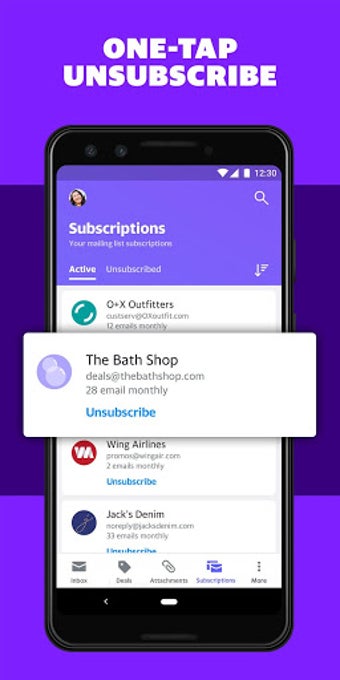
Yahoo Mail allows you to get rid of spam by presenting you with a summary of every mailing list your email has joined. This makes it extremely simple to find the mailing lists you don’t want to contact you and remove your subscription. The feature can be used on any account connected to the application, not solely Yahoo addresses.
Quick account management
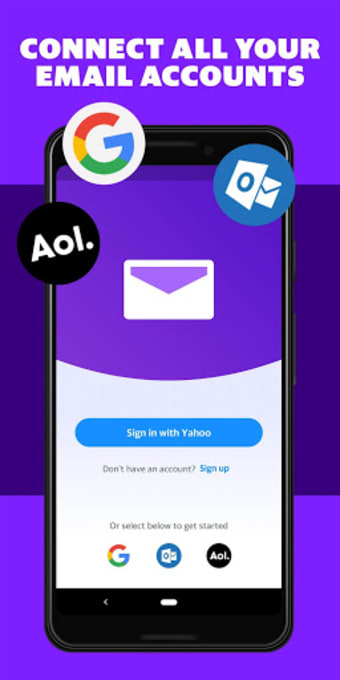
The application allows you to connect accounts from providers such as Google and Microsoft. The Yahoo sign-in process is fast for every address, and more accounts can be added to the service.
Once you log in on the application, you can tap your profile icon to select one of the available accounts or manage them directly to add or remove an address.
Find attachments
While using the app, you won’t have to struggle searching through emails looking for a photo or document. All available attachments are a tap away. By selecting the attachment view option you’ll quickly see the pictures and files added onto your emails.
Travel-view
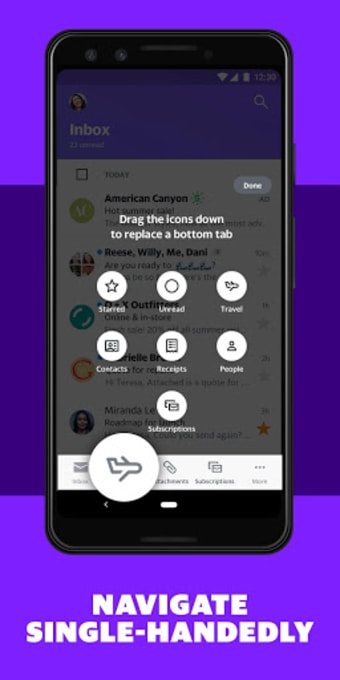
Yahoo Mail’s Travel-view feature is perfect for your family vacations as it keeps all of your flight information organized in one spot. This includes smart updates such as your gate location changing, delays, and cancelations. The feature removes the stress of missing a flight because you’ll always have your information readily available.
Themes
Your inbox can be adapted to better reflect your taste through the use of one of the many themes Yahoo Mail has available. You can further customize your experience by changing the navigation bar to give you an overview of the folders you use most often. Additionally, you can select custom sounds for your email notifications.
1,000 GB storage
Yahoo Mail can store up to 1000 gigabytes worth of emails and attachments before it’s full. This is way more than the 15GB that Gmail provides. With this amount of storage, you’ll likely never lose memories or emails due to an overflow.
Alternatives
If Yahoo Mail isn’t a great match for you, there are many alternative email applications that may suit your needs.
Gmail is Google’s email service that’s one of the most commonly used providers for mail addresses as the account is linked to YouTube and other Google applications.
Outlook is Microsoft’s take on providing you with a way to manage your emails. It makes use of a sleek UI and offers the ability to sync with your calendar and files.
Spark – Email App by Readdle is aimed at professional use, allowing you to easily collaborate with group members thanks to its intelligent organization system.
Accessible with ads
This application sets the standard for how email reading apps need to be designed. Yahoo Mail has many quality of life features that most alternatives fail to provide such as easily unsubscribing you from all the spam clogging your account.
Recent changes made have only improved the application by making it easier to navigate with the navigation bar and your folders. Managing accounts is now one tap away, and you can quickly delete or add email addresses from any provider.